Everything Skribly does
The whole ecosystem, grouped by the job you are doing. Each feature below comes from the apps' own documentation.
Run several agents at once
Skribly Agent works like a terminal multiplexer built for agents.
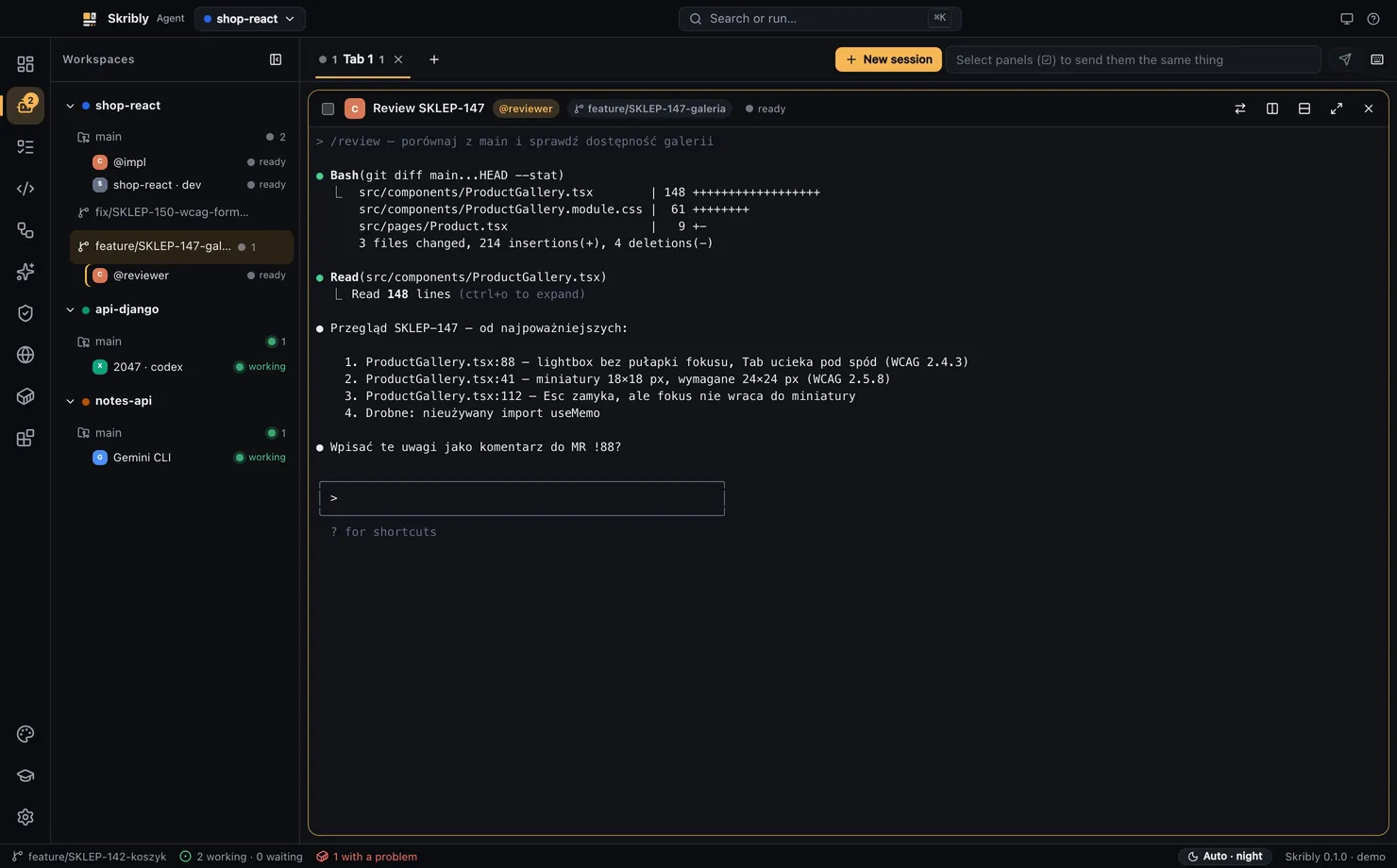
- 13 agents, detected for you
- Claude Code, Codex CLI, Cursor Agent, Gemini CLI, OpenCode, Copilot CLI, Aider, Amp, Factory Droid, Qwen Code, Goose, Crush and Kimi CLI, plus your own commands.
- Workspaces, tabs and splits
- A workspace is a repository or one of its worktrees. Drag the dividers, zoom a pane or move with the
Ctrl+Bprefix. - Live states
- Working, waiting for a decision, done, ready and finished, read from the agent's screen. The agent needs no plugin.
- Why this state?
- Click a state badge to see the rule that matched, the foreground process and the last 24 lines of the screen.
- Notifications
- A badge, the status bar, in-app messages and system notifications. Clicking one takes you to the pane.
- Resume after restart
- Tabs, splits and panes return to their places, and ten agents continue their conversation natively.
- Broadcast
- Tick several panes and send one prompt to all of them.
- Chat mode
- Run an agent without a terminal. Text, tool calls and errors appear in the pane, and you choose whether it may edit files.
- SSH machines
- An agent can work on a server while its pane stays in the app. OpenSSH handles the sign-in.
- Token usage
- The dashboard counts usage from local session files of Claude Code and Codex. Nothing is sent.
Start from a real task
Agents begin from a file with the task and its comments, not from text you pasted.
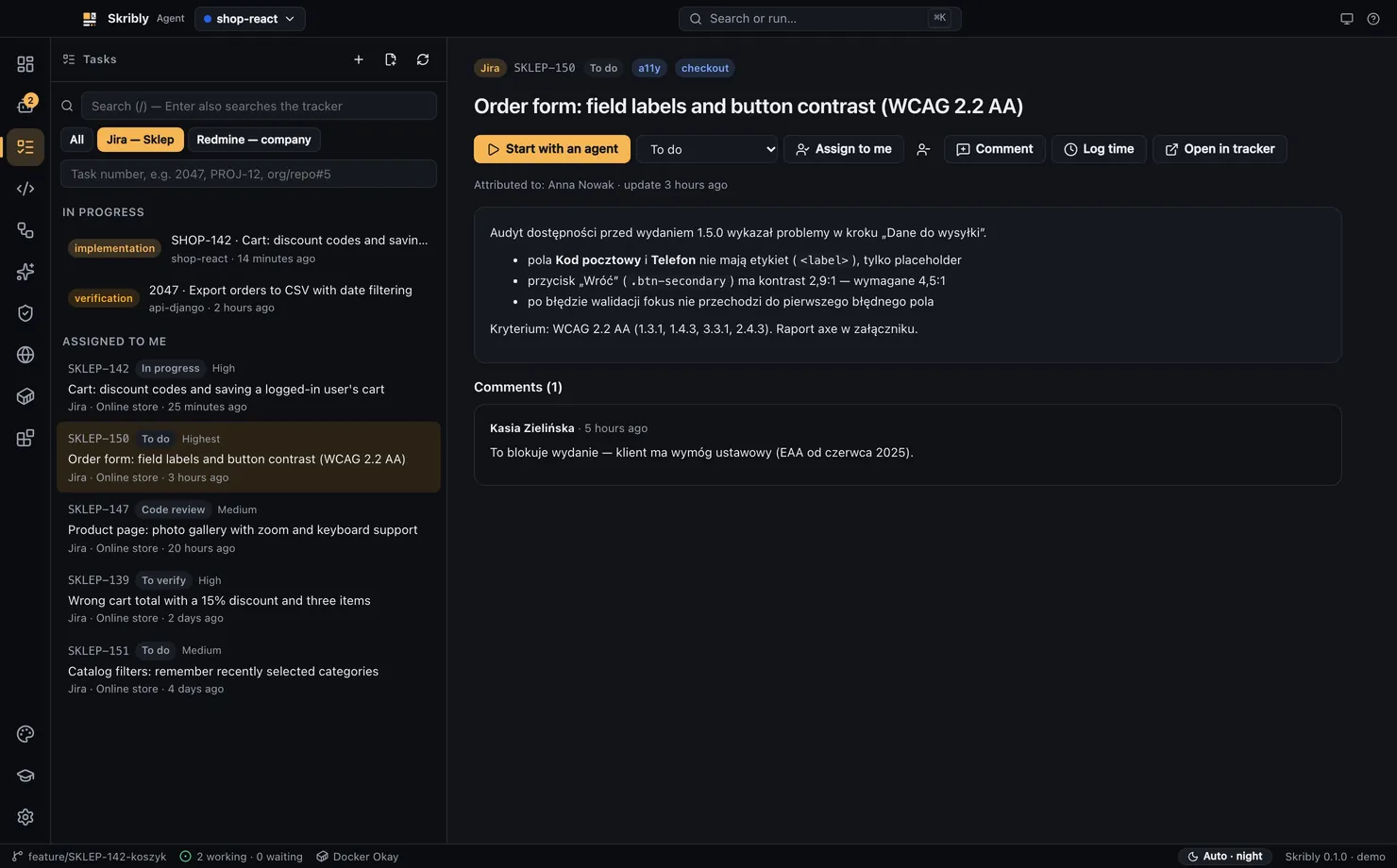
- Six trackers, one list
- Skribly Tracker, Jira Cloud and Server or Data Center, Redmine, GitHub, GitLab and Linear, including several accounts of one type.
- Start with an agent
- One action writes
TASK.mdandSTATE.md, creates a branch or a worktree and starts an agent with a ready prompt. - Work without leaving the app
- Comment, change status, assign, create issues, search and log time, where the tracker supports it.
- Task progress at a glance
- The In progress list shows the stage and next step read from each
STATE.md. - Tasks without a tracker
- Write a title and a description in Markdown, and the same flow applies.
- Encrypted tokens
- Tracker tokens go to the system password store and never reach project files or prompts.
Read and commit the work
A real editor around the agents, so review happens in the same window.
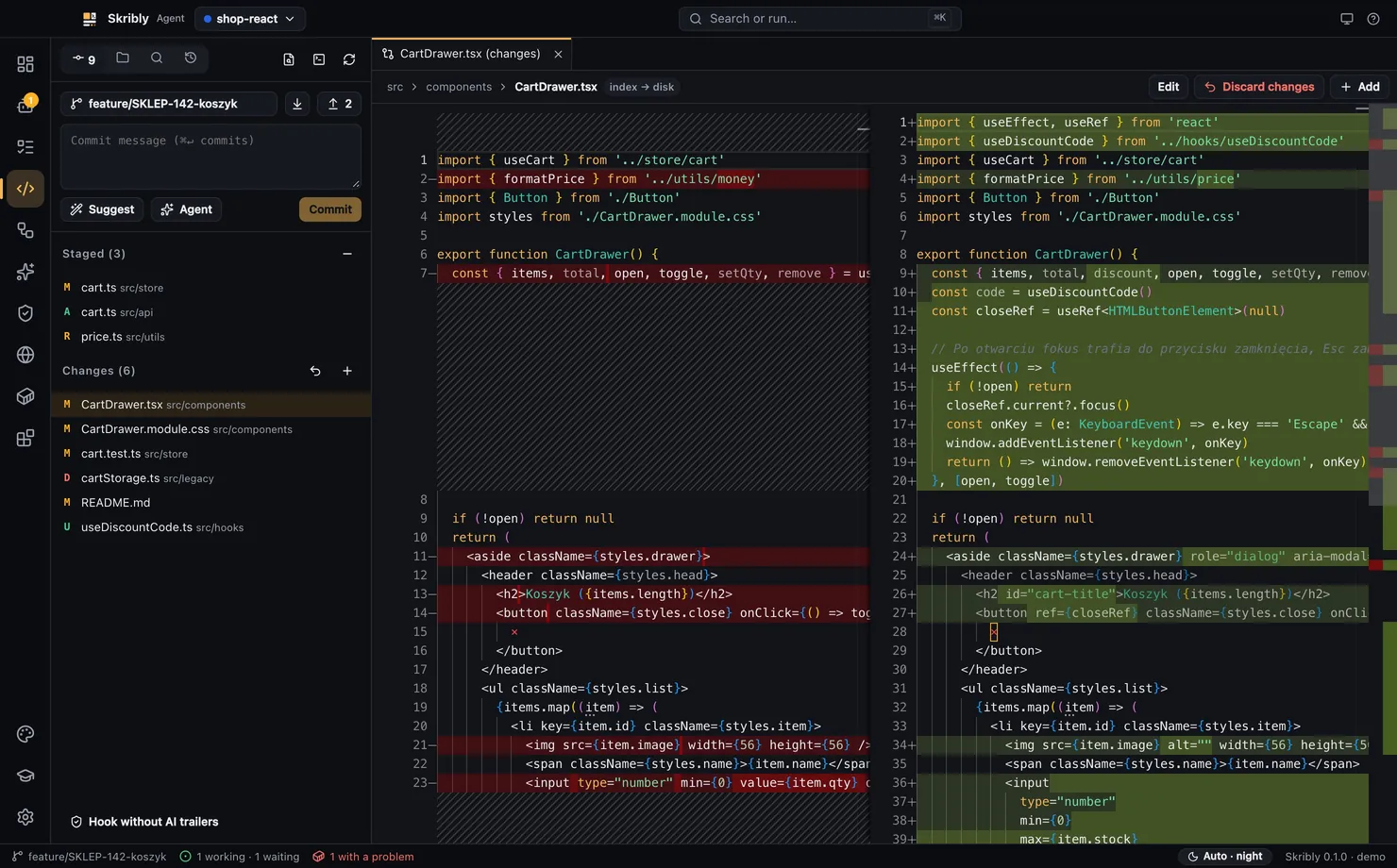
- Monaco editor
- File tabs, quick open, search in files with regular expressions, go to line and a bottom terminal.
- Reloads after agent changes
- An open file reloads by itself. If you have unsaved edits, you choose between Reload and Keep mine.
- Agent on a selection
- Select code and ask, explain, fix, write tests or review, in a running pane or a new one.
- Changes and branches
- Side-by-side diffs, staging, discarding, branches, pull and push, in one panel.
- History graph
- The last 300 commits from all branches, local and remote, with branch and tag labels.
- Pull requests
- Create and open pull requests through GitHub CLI.
- Commit suggestions without a model
- The pattern, language, type, scope and key come from your history, files and branch, so a suggestion costs no tokens.
- No AI trailers
- Commits from the app are always cleaned, and a
commit-msghook also cleans commits that agents make in the terminal.
Let agents hand work to each other
Results pass through files and commands instead of through you.
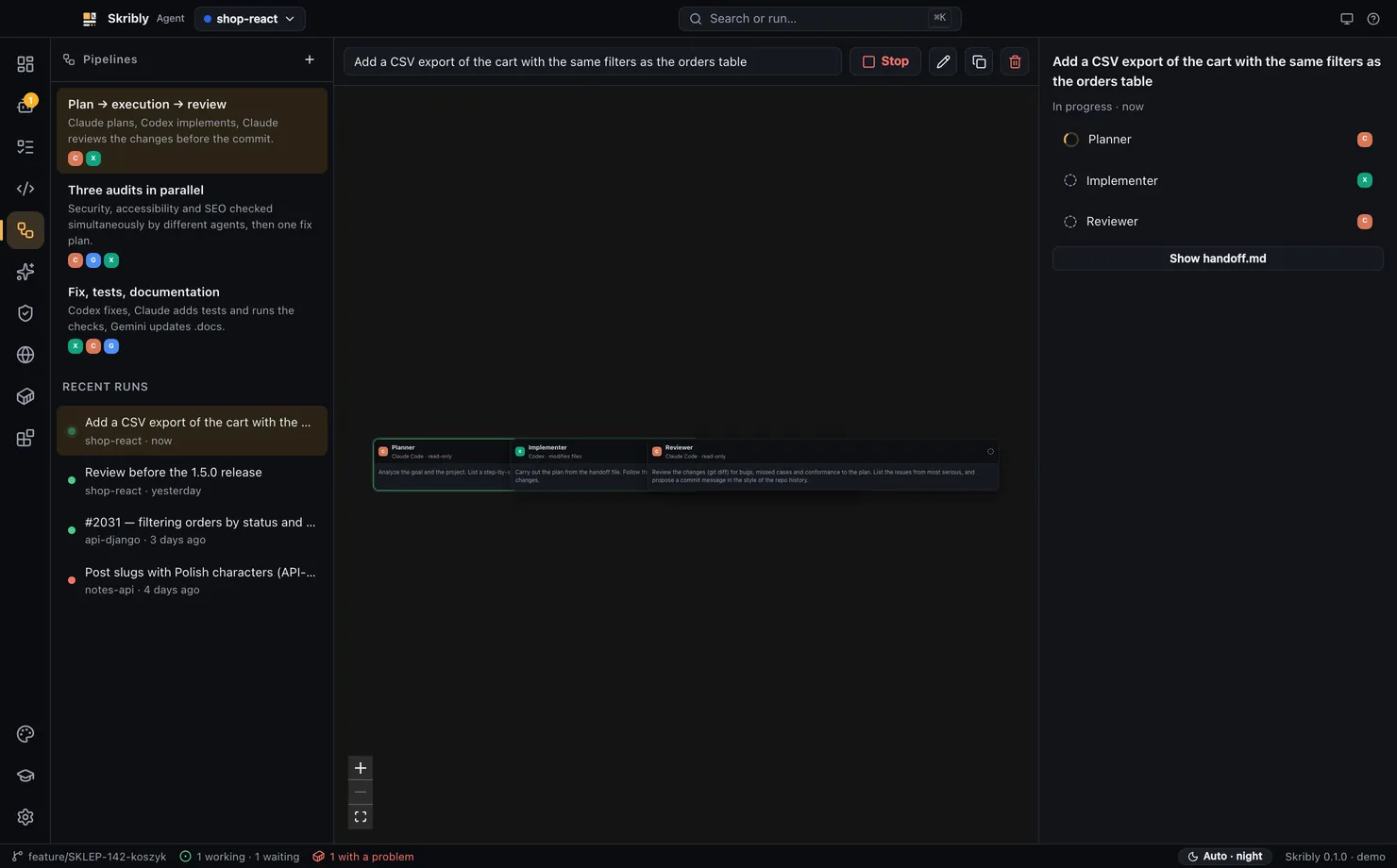
- Pipelines
- Steps in one stage run in parallel, and later stages wait. Agents from different vendors can share one pipeline.
handoff.md- Each step gets the goal and the results so far, not the whole conversation of the agent before it.
- Three built-in pipelines
- Plan, implement and review. Three audits in parallel. Fix, tests and documentation. You can also write your own.
- Read-only by default
- A step only gets edit permissions when you tick changes files.
- Hand off a session
- An agent saves its state, and the next one starts beside it in the same directory, from a few dozen lines instead of a transcript.
- CLI and MCP
- The
skriblycommand and an MCP server let agents start, prompt, wait for and read other agents.
Keep your rules in one place
agent-skills holds your process, and it also works without the rest of Skribly.
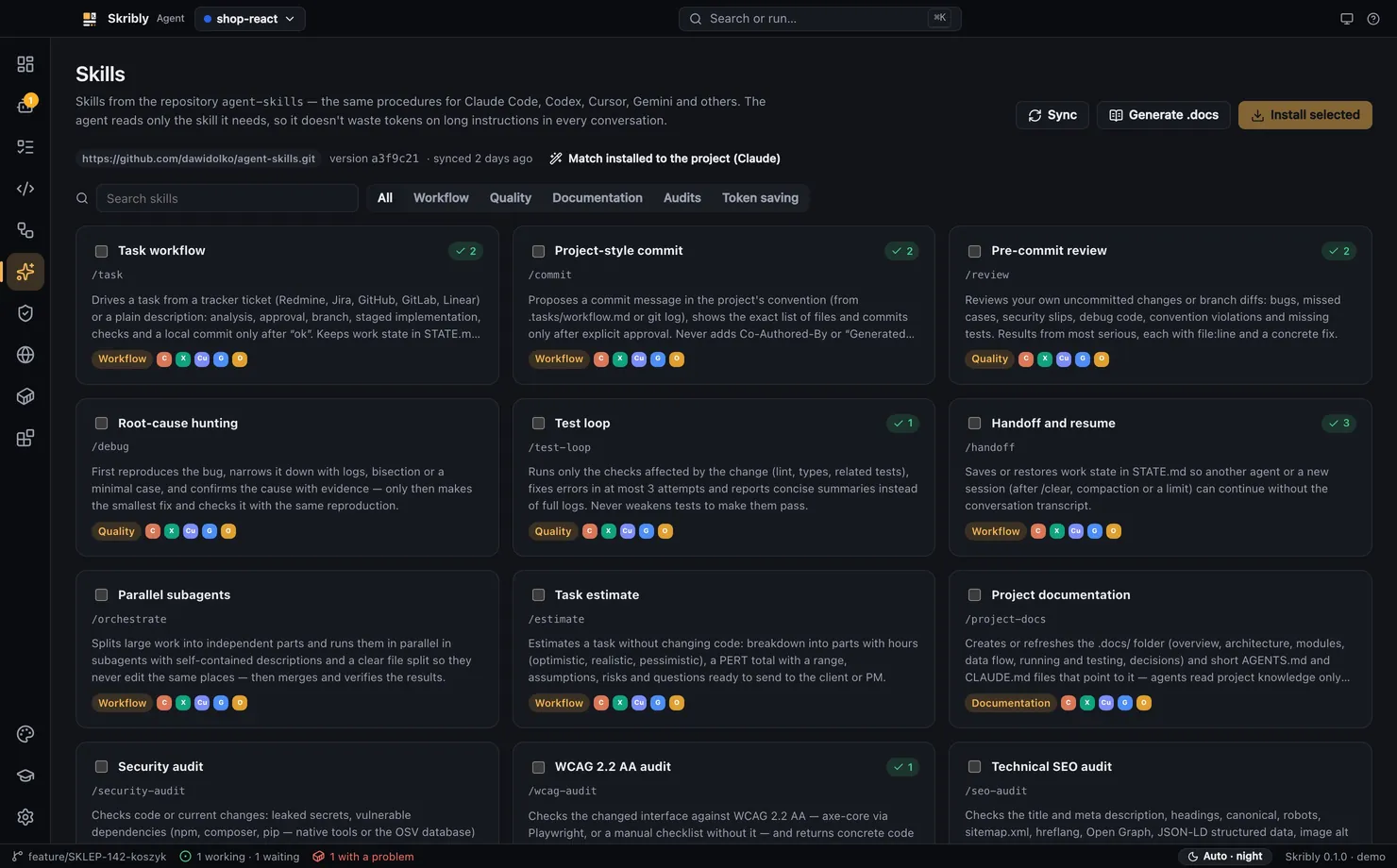
- 27 skills
- From a ticket to a commit, plus tests, reviews, audits, migrations, Docker, CI and release notes.
- One installer, seven agents
- Claude Code, Codex CLI, Cursor, Gemini CLI, OpenCode, Windsurf and GitHub Copilot. Six of them read the same folder.
- Loaded on demand
- Agents keep only a name and description in context. The rest loads when the skill runs.
- Scripts do the mechanical work
- Small Node scripts with no dependencies condense logs and reports before a model reads them.
- Asks before risky steps
- Commits wait for your OK, and screenshots, Lighthouse runs and full test suites are proposed, not run silently.
- Adapts to your project
- In Skribly Agent, an agent can fill in the project-specific parts of installed skills.
- A
.docsskeleton - Generated from the repository without a model, then filled in by an agent.
Check the result
Audits run on your machine, and findings go straight to an agent.
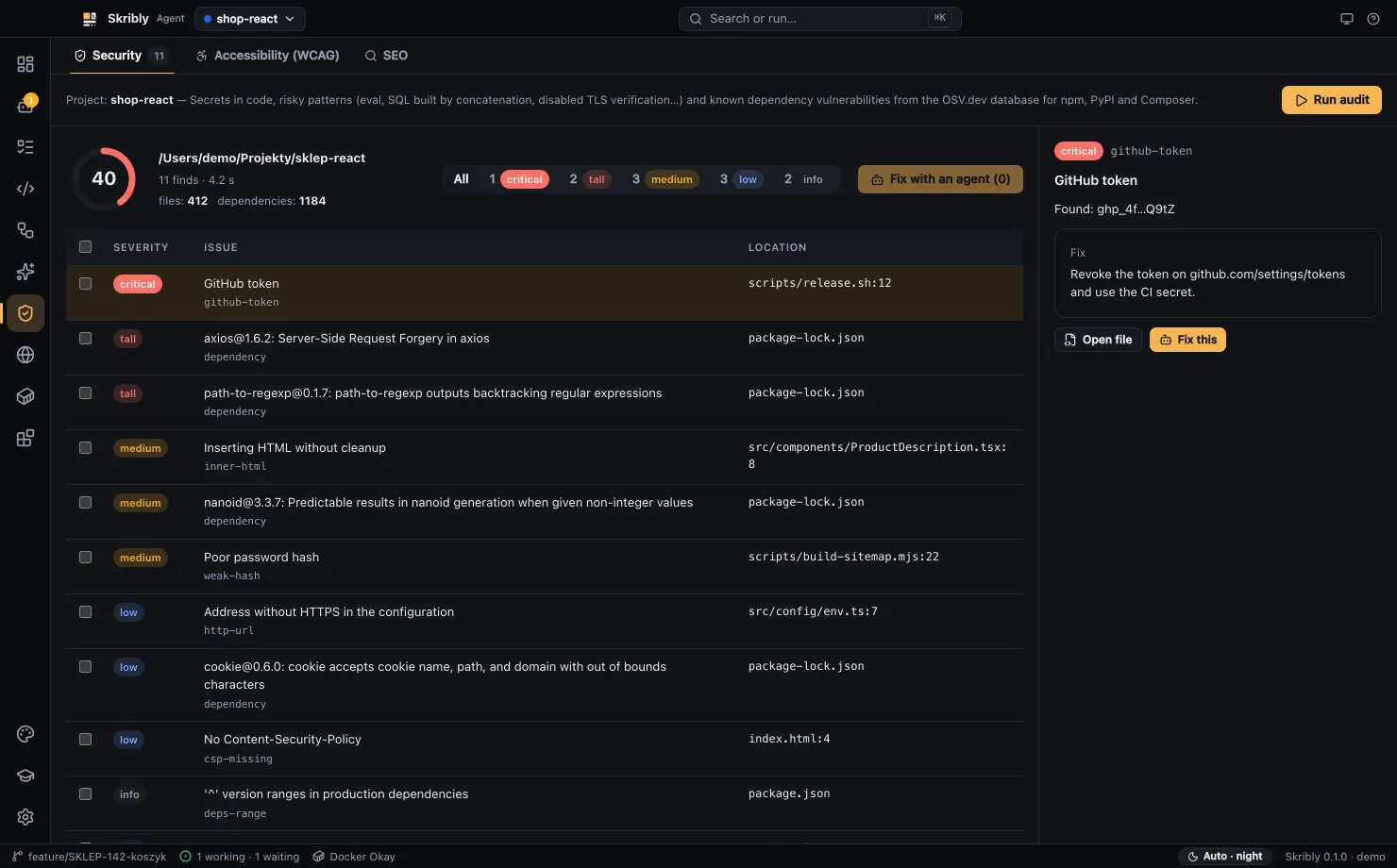
- Security
- Secrets, with values masked in the report, and risky code patterns, each with a file, a line and a suggested fix.
- Vulnerable dependencies
- Exact versions from lockfiles are checked against OSV.dev for npm, PyPI and Composer. Your code is never sent.
- Accessibility
- axe-core runs on a real page with the WCAG 2.2 A and AA rules, and shows what still needs a manual check.
- Technical SEO
- Titles, headings, canonical links, robots, sitemaps, structured data, page weight and broken internal links.
- A score out of 100
- Each finding lowers the score by its severity, and findings are sorted from most severe.
- Fix with agent
- Selected findings go to a new or running agent as a short list.
See it running
A browser and a container view in the same window as your agents.
- Preview at any size
- Full width, laptop, tablet and phone, with developer tools.
- Screenshots for agents
- Save the tab as an image, and the path goes to your clipboard, ready to paste to an agent.
- Separate profiles
- Claude, Codex, Cursor and Gemini tabs, each with its own lasting sign-in.
- Share the browser with agents
- Over the Chrome DevTools Protocol, agents can click and read what you see.
- Docker view
- Containers, compose, logs, and alerts when a container crashes or restarts in a loop.
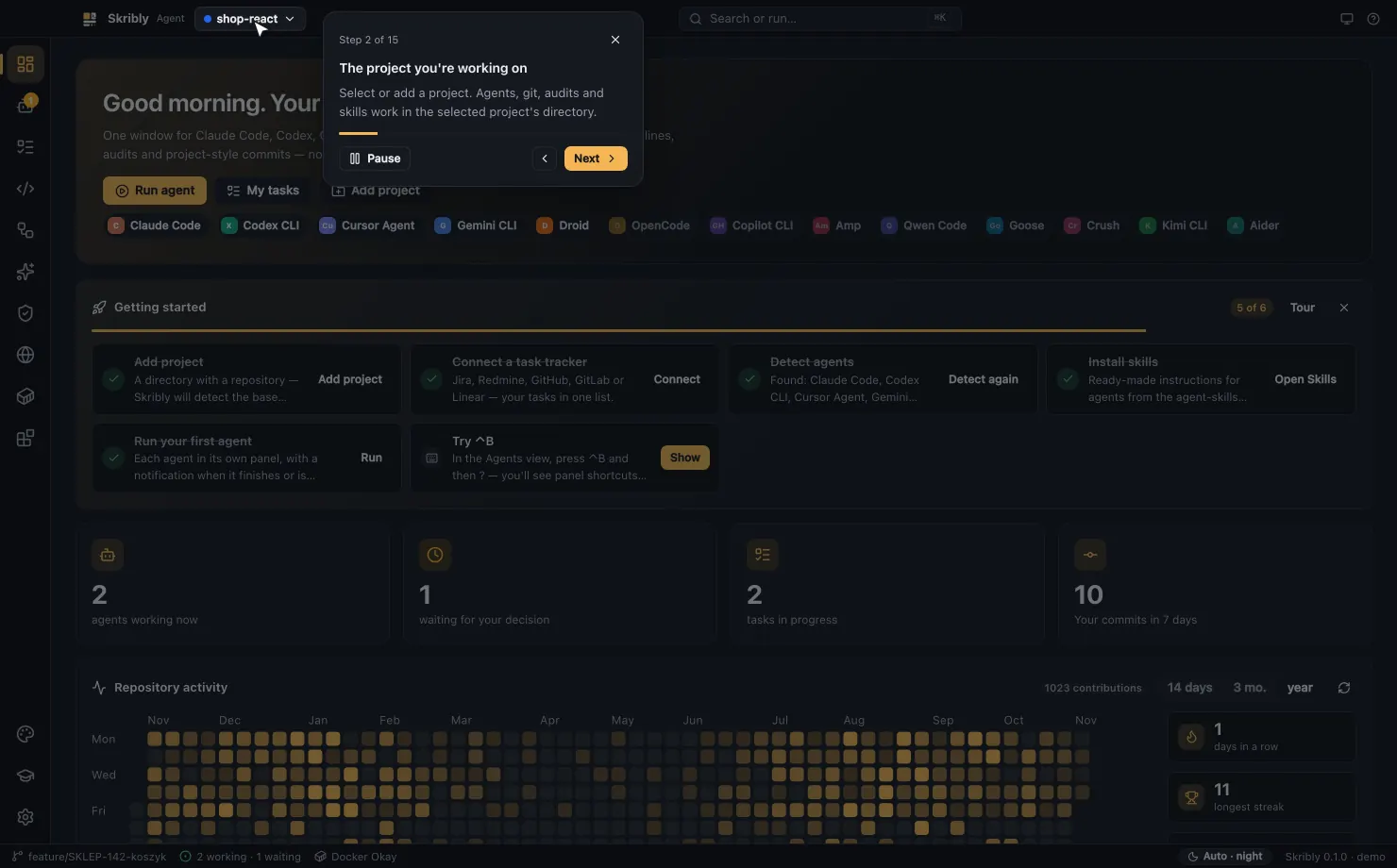
- Built-in tour
- On first launch, a cursor moves by itself through 15 places in the app.
Plan the work
Skribly Tracker is an issue tracker that people and agents read the same way.
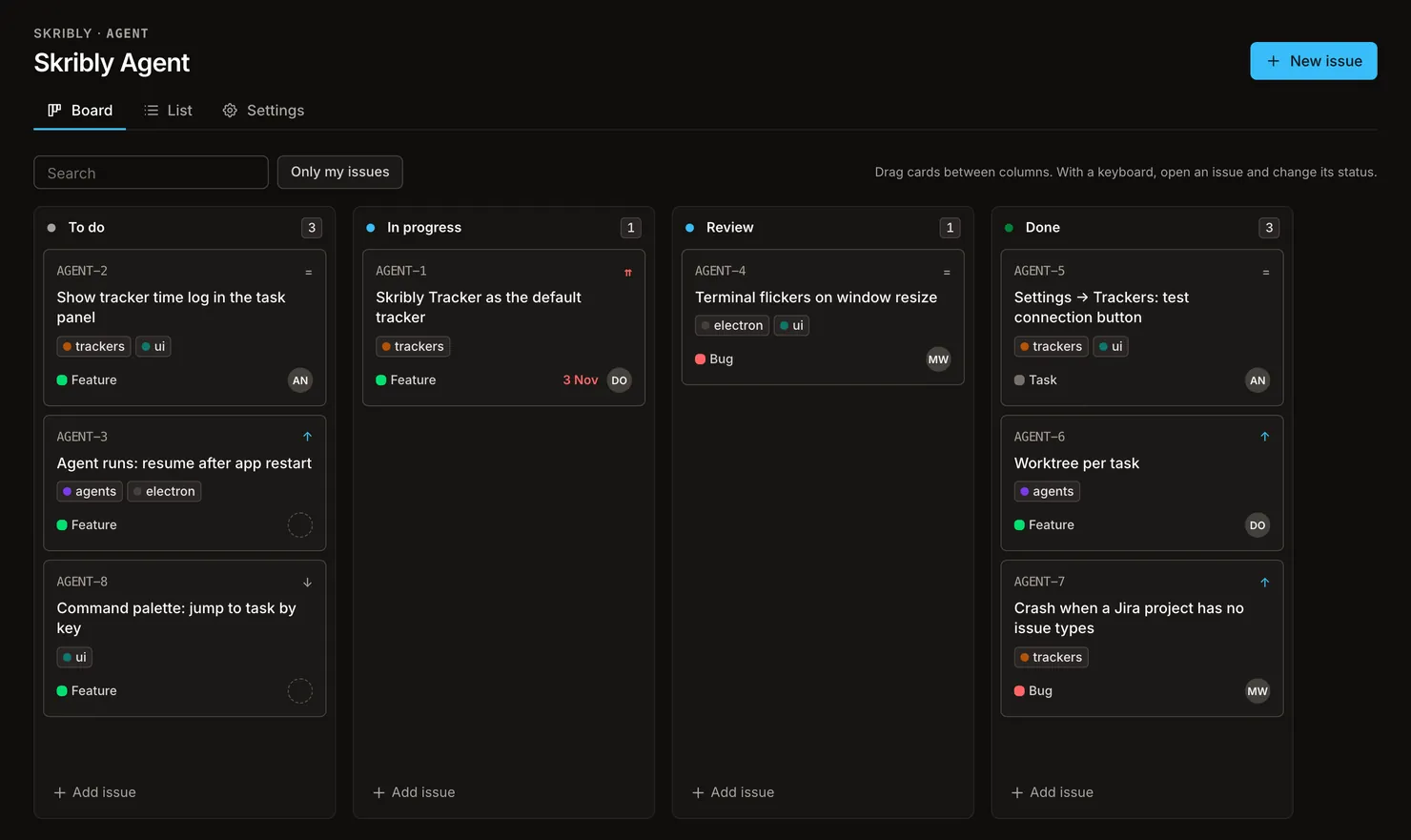
- Projects and issues
- Keys like
AGENT-12, types, priorities, labels, assignees, estimates, due dates and subtasks. - Board and list
- A Kanban board with drag and drop, and a list with filters, search and sorting.
- Your own workflow
- Statuses per project that you can rename, reorder and add to.
- Teamwork on every issue
- Markdown comments, time entries, watchers, attachments and an activity log.
- Roles and tokens
- Admin, member and viewer. API tokens act with the same role, read-only or read-write.
- REST API and webhooks
- A documented API with an OpenAPI description, and signed events for issues and comments.
- Run it yourself
- Docker Compose brings up the app, the database and a queue worker.
Keep control of your work
You decide what goes into the project, and your data stays with you.
- Everything runs locally
- No account, no server of ours and no telemetry. Agents use their own logins and API keys.
- A published list of connections
- Every destination the app talks to is listed, with what it sends.
- Ports stay on this computer
- The control API and the optional browser port listen only on
127.0.0.1. - Guarded file access
- Reads and writes outside the project directory are rejected.
- Themes are only read
- Extension code never runs. The app reads theme files as JSON.
- Tokens shown once
- In Skribly Tracker, API tokens and webhook secrets appear once and are never logged.
Make it yours
Fit the app to your eyes, your language and the tools around it.
- Themes from your editor
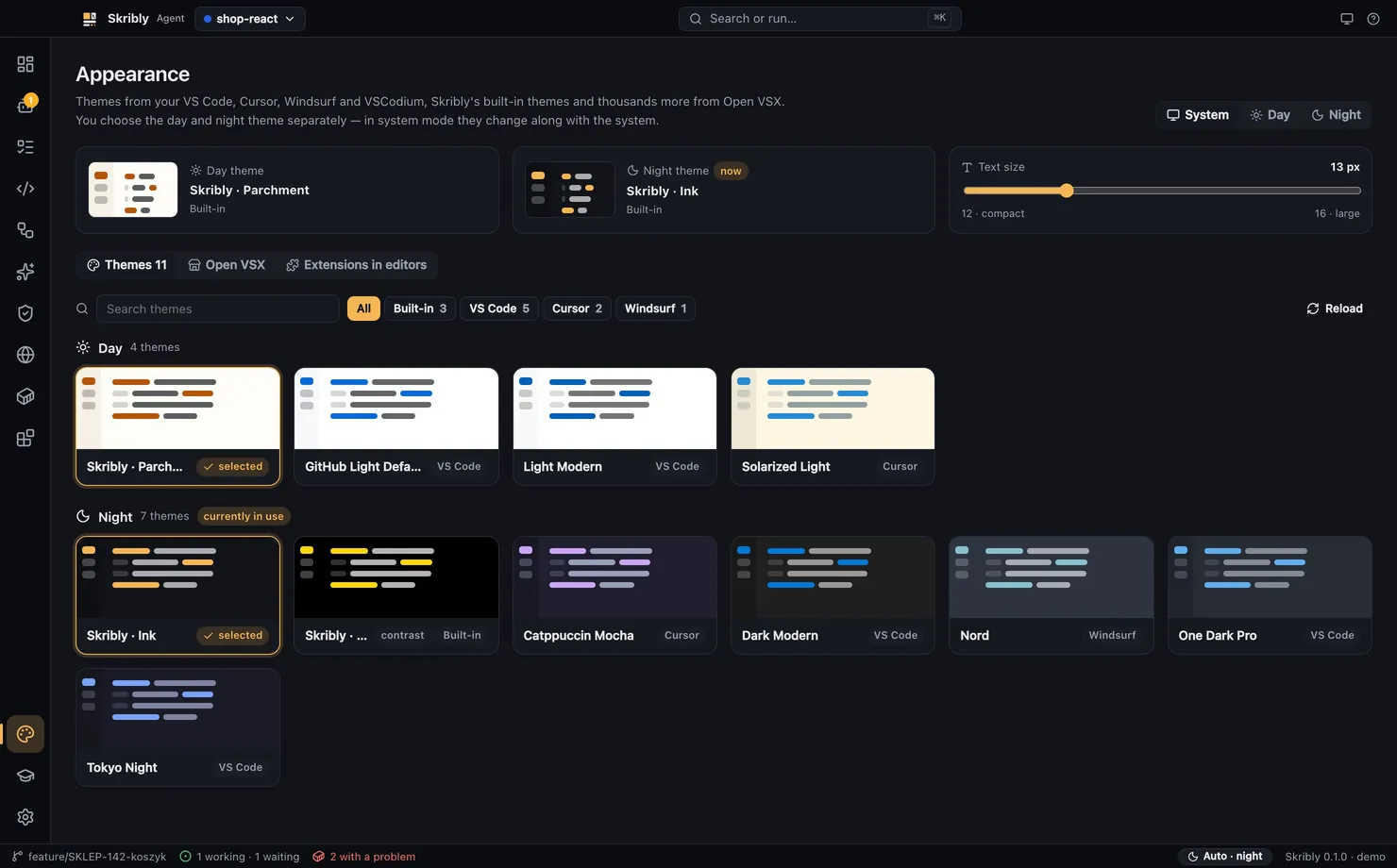
- VS Code, Cursor, Windsurf and VSCodium, or any theme from Open VSX, for the interface, syntax and terminals.
- Separate day and night themes
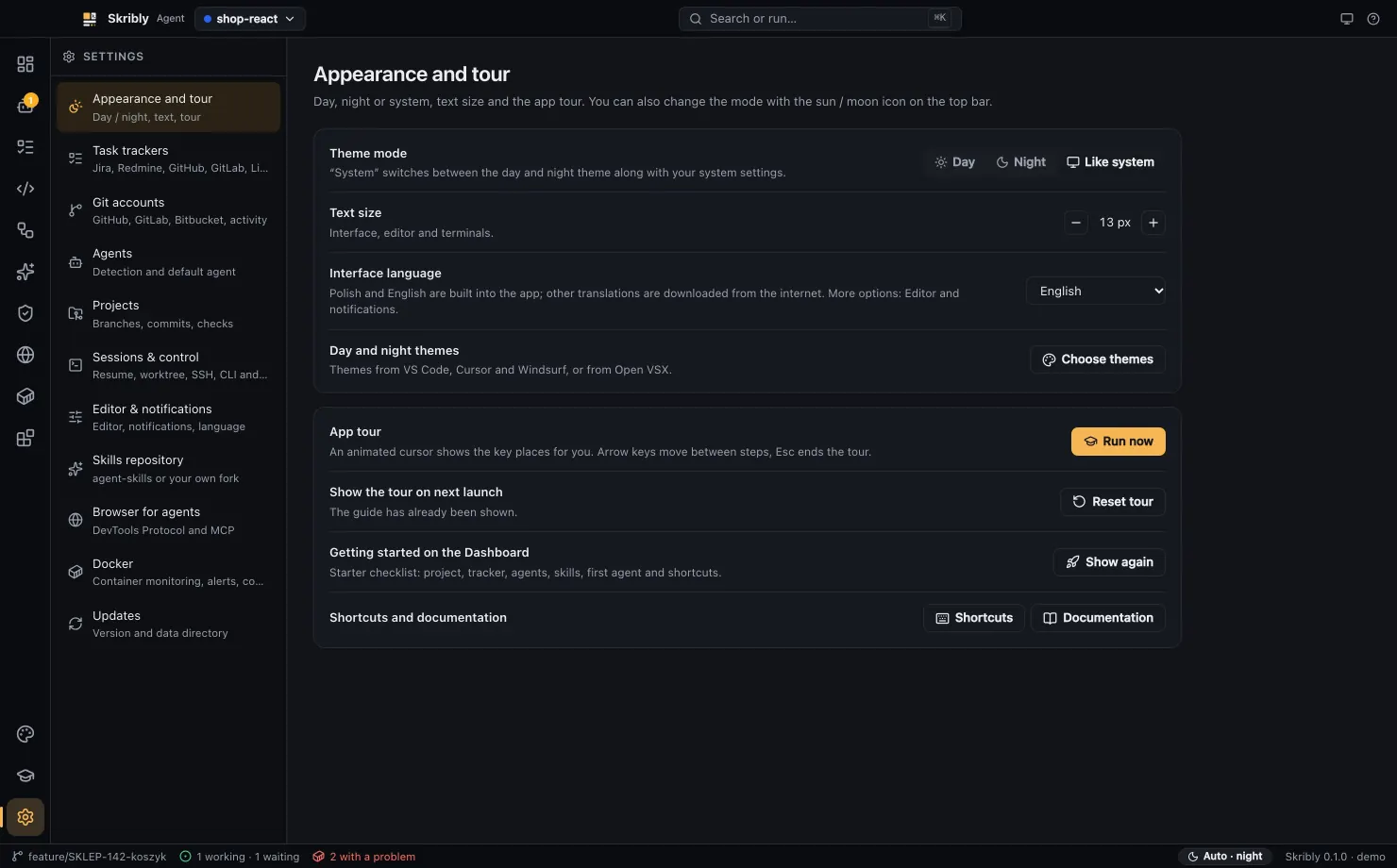
- They follow the system or a switch, and accent colours are adjusted to keep buttons readable.
- Accessibility settings
- Text size, high contrast, reduced motion, underlined links and a strong focus indicator.
- Any language
- Polish and English are built in. Other languages are translated online and kept for offline use.
- Claude Code plugins
- Install and toggle them per scope, from the Anthropic catalogue.
- MCP servers in one place
- Switch the servers of Claude, Codex, Cursor and Gemini on and off without losing their configuration.
- Claude Design to code
- Pass a design package to an agent, which builds it from your project's components.
- Automatic updates
- The app checks at startup and every four hours, and installs on the next restart.