Skribly Tracker guide
Run the tracker on your own machine or server, create a token, and connect Skribly Agent and agent-skills.
The repositories are private for now, so nothing here can be installed yet. These pages describe how the apps work today.
Run it with Docker
The Docker stack runs PHP-FPM, nginx, MySQL 8.4 and Vite, plus a queue worker for webhooks.
cp .env.example .env
docker compose up -d --buildOpen http://localhost:8100. On first boot, the app migrates the database and fills it with a demo workspace. Later restarts keep your data.
Scrollable table
| Part | Address | Notes |
|---|---|---|
| Tracker | http://localhost:8100 | Change it with TRACKER_PORT |
| Vite | http://localhost:5174 | Builds on save |
| MySQL 8.4 | Inside the Docker network only | Not published to your computer |
Demo accounts are for the demo database only. Set TRACKER_ADMIN_PASSWORD before you seed anything real.
Run it without Docker
You need PHP 8.4, Composer and Node 22.
cp .env.example .env
composer install && npm install && npm run build
php artisan key:generate
php artisan migrate --seed
php artisan servePlan your work
- Projects and keys
- Each project has a key, and issues are numbered inside it, like
AGENT-12. - Workflow
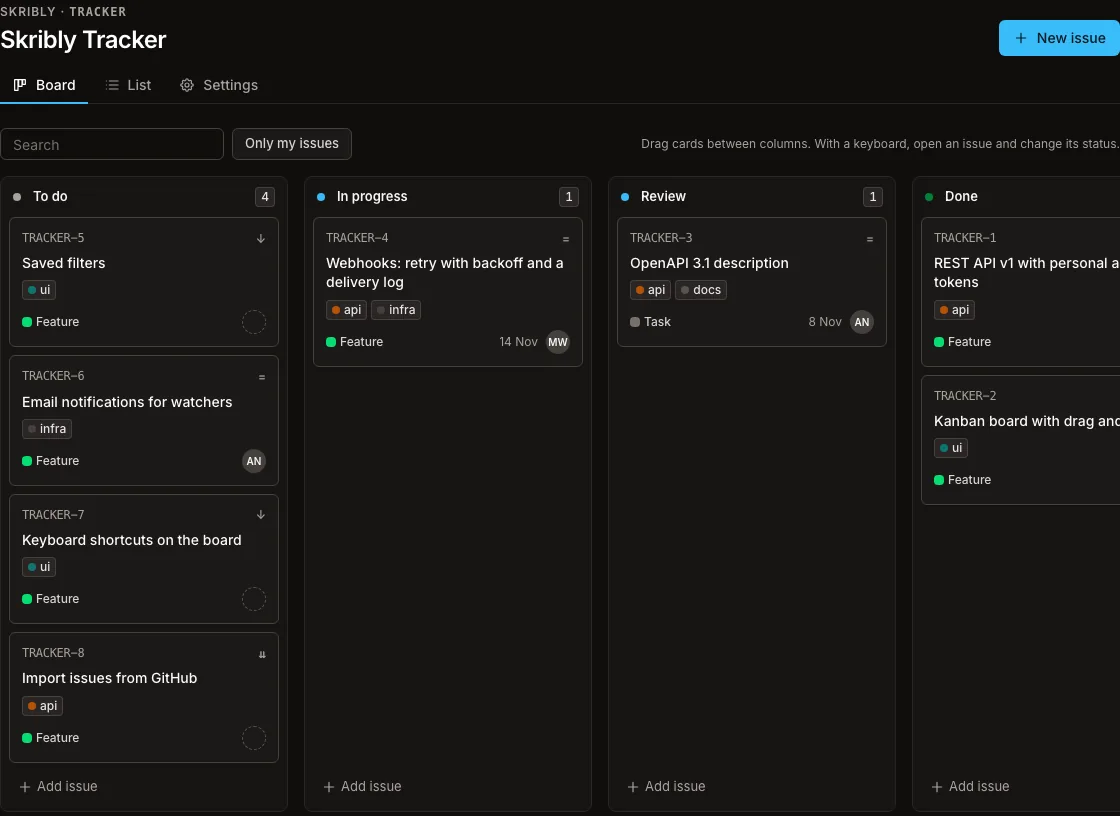
- Projects start with To do, In progress, Review and Done. Rename, reorder or add statuses, each in the category to do, in progress or done.
- Roles
- Admins manage projects, workflow, people and webhooks. Members work on issues. Viewers only read.
- Board and list
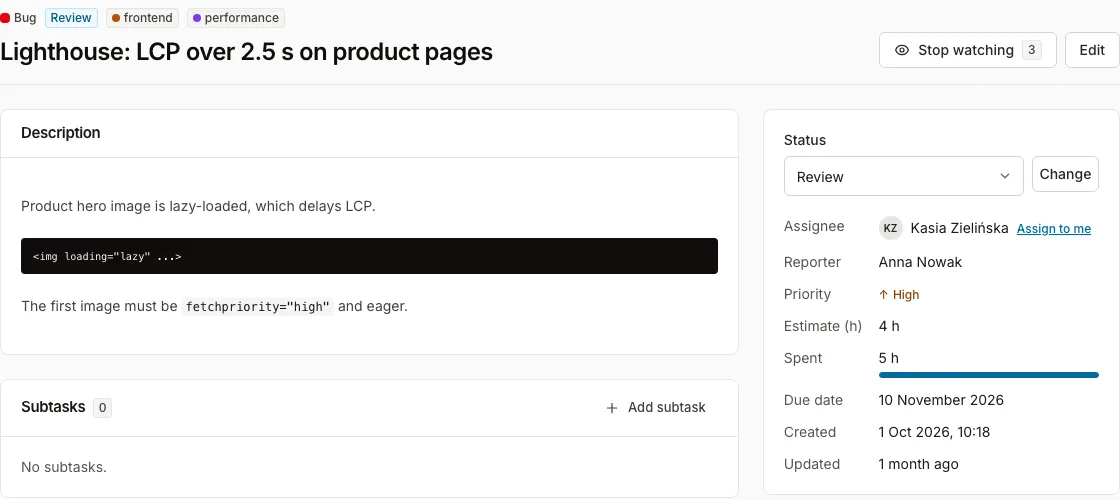
- Drag cards between columns, or change the status from the issue page with a keyboard.
Create an API token
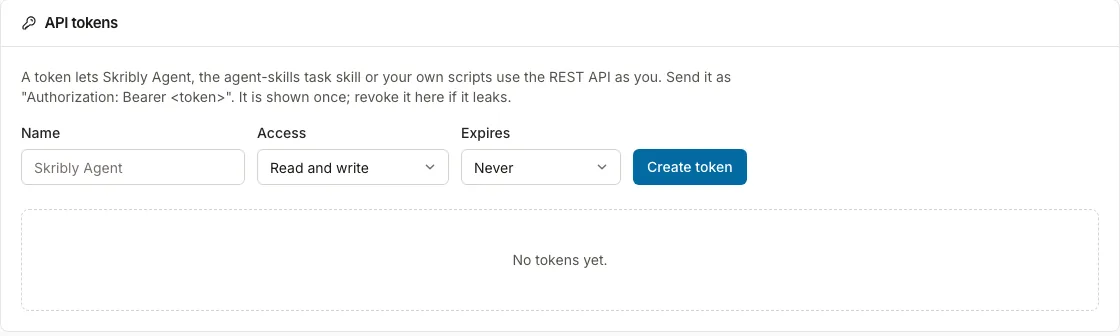
- Open your profile, then API tokens.
- Give the token a name, then choose read and write, or read only.
- Optionally set an expiry, and create the token.
- Copy it. The token is shown once.
From the command line:
docker compose exec app php artisan tracker:token you@example.com "Skribly Agent"
docker compose exec app php artisan tracker:token you@example.com ci --read-onlyConnect the other apps
Skribly Agent
Skribly Tracker is its default tracker. Add a Skribly Tracker account with the address and a read-write token. Tasks assigned to you appear in the app, which can comment, change status, assign and log time.
agent-skills
The task skill reads this tracker like any other. Put the address and token in ~/.config/agent-skills/credentials.env:
SKRIBLY_TRACKER_URL=http://localhost:8100
SKRIBLY_TRACKER_TOKEN=...Then run agent-skills tasks check, and /task AGENT-12 in your agent.
Keep reading
- Read the API reference
Endpoints, filters and webhooks.
- Set up Skribly Agent
The desktop app for your agents.
- Set up agent-skills
Skills for seven agents.